Maya 2022 is here
Maya 2022 was launched a few days ago. As with most of the DCC applications there comes the excepted change to support Python 3 as Python 2 itself is officially no longer supported.
Your Python 2 scripts or addons are not working anymore?
Try this:
- Open a notepad, notepad++, or any other script editor of your choice
- Create a new batch file, e.g. Maya_2022_Py2.bat, and save it
- Insert the lines below into that file

Hint:
- line 1 is just a comment for documentation purposes on what this file is actually for
- line 2 is the important line, this should be the path where your Maya 2022 version is installed + the command to run it with the version Python 2
"C:\Program Files\Autodesk\Maya2022\bin\maya.exe" - pythonver 2
That way you can run all your plugins and scripts with Python 2, e.g. TweenMachine or StudioLibrary
Desktop Shortcut
- To make it easier to run Maya with Python 2 quickly you can right-click on your batch file to create a desktop shortcut and point it to the maya.exe file.
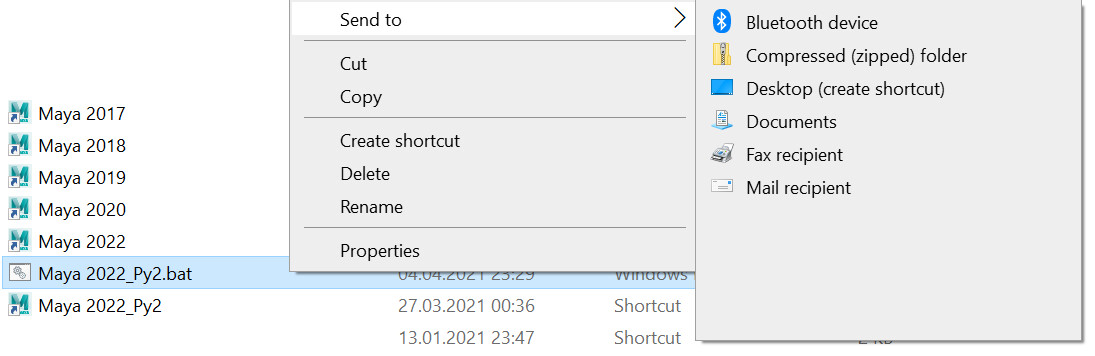
Maya Icon for your desktop shortcut
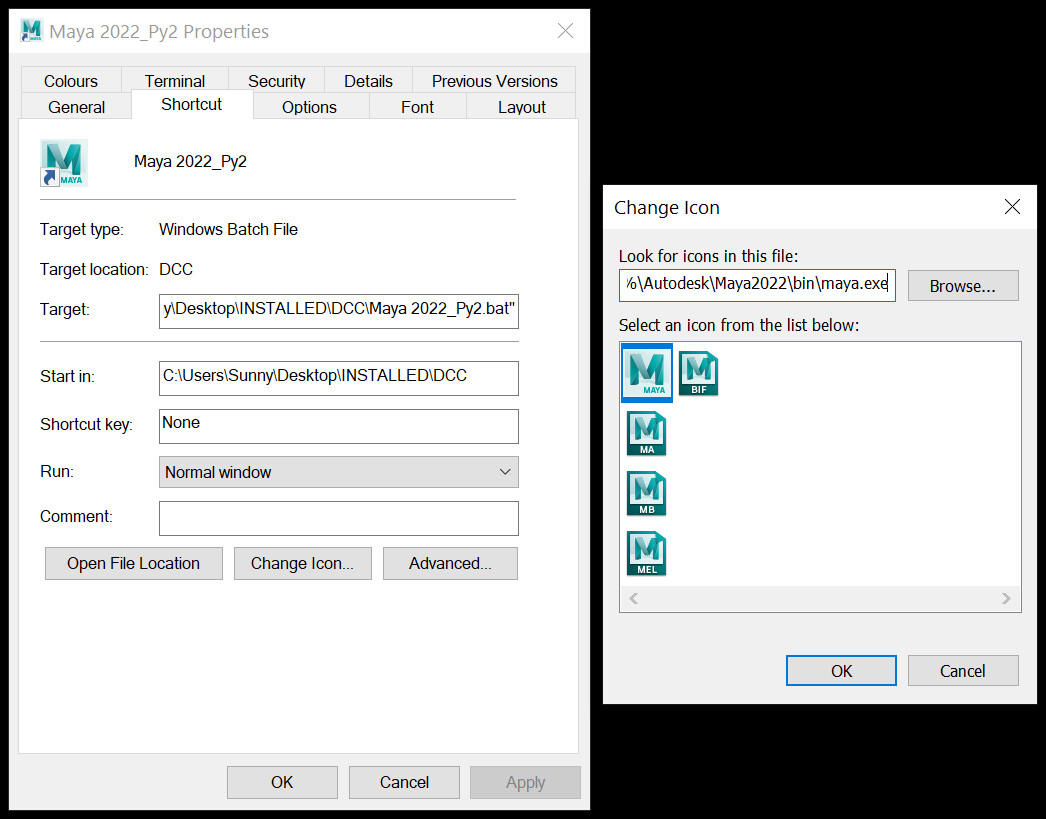
- You can also change the icon to Maya by right-clicking on shortcut, going to Change Icon > Look for icons in this file > <Your Maya Install location>maya.exe
animBot
One important note for you animators out there. The great helper for every animator animBot which you can get over on animbot.ca is currently not officially supported for Maya 2022.
Even if you download the latest beta which is version 1.4.37 and you try to run it in Maya 2022, animBot will tell you to update to the latest version which officially is for the Pro and Premium license owners the ongoing version 1.4.26.
I tried running the beta with Maya 2022 with Python 3 and Python 2 mode. Sooner or later it will be officially supported with Python 3 I suppose.